Players alone may end up having a ton of Pals filling up their Palbox and the same can happen when it comes to a guild, which makes the lack of space a problem.
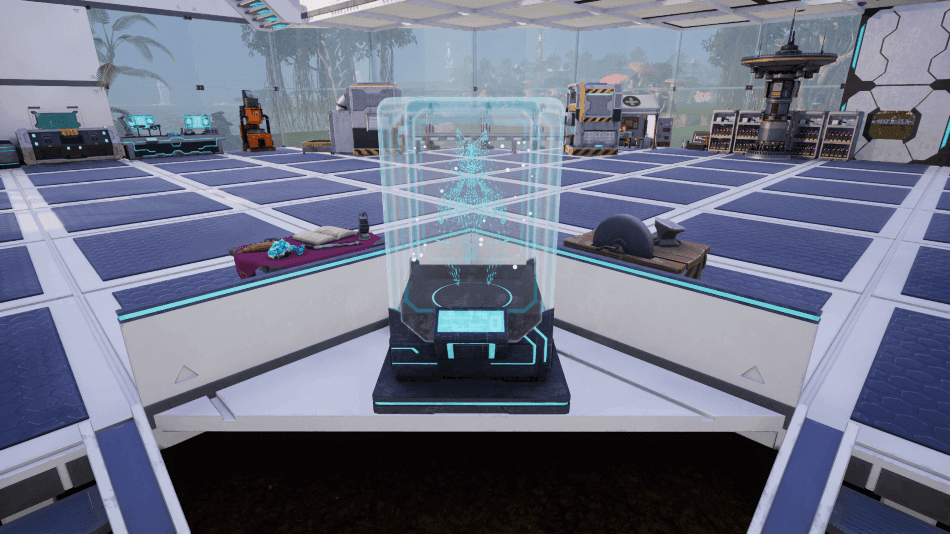
It is a good thing the Dimensional Pal Storage was added to the game, which now allows you to store a vast amount of Pals and even share them with your guild.
The Dimensional Pal Storage acts as a way for you to keep the Pals that you and the members of your guild want to share, or you can use it as your own personal storage.
How To Unlock and Build Dimensional Pal Storage?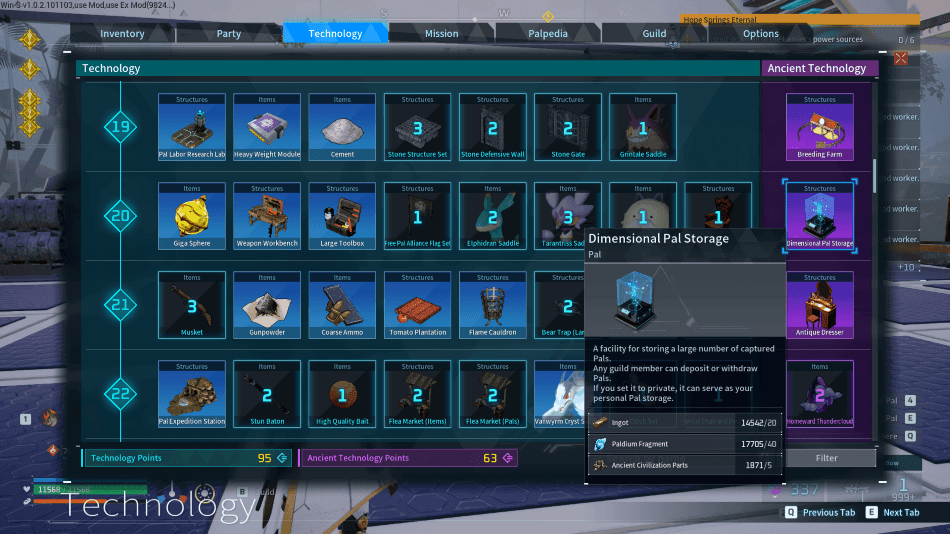

The Dimensional Pal Storage becomes available once you hit Level 20 and will require 2 Advanced Technology Points.
Once you have unlocked the Dimensional Pal Storage, you may craft it at your base using the following materials:
- 20 Ingot
- 40 Paldium Fragment
- 5 Ancient Civilization Parts
How To Use Dimensional Pal Storage?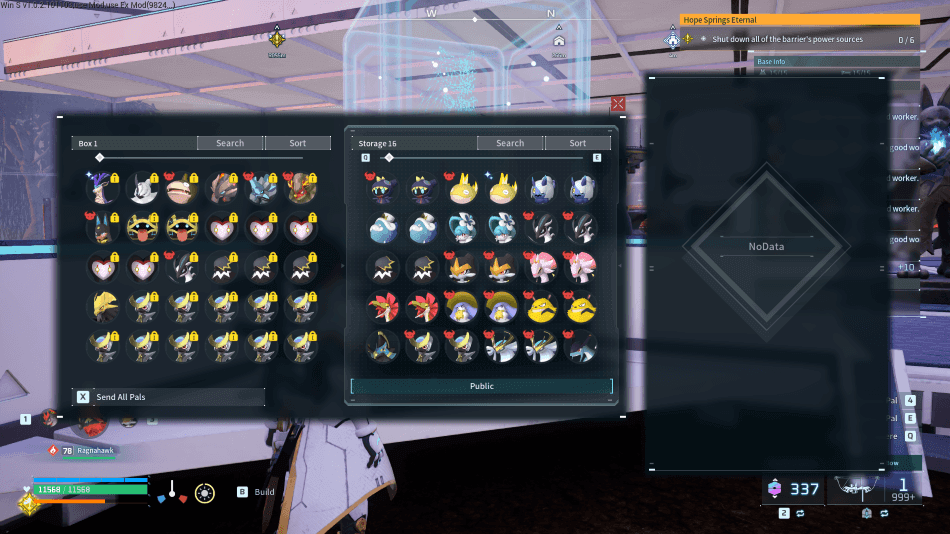
To use the Dimensional Pal Storage, interact with the structure to open its menu and this will display the Pals in your Palbox as well as the Dimensional Pal Storage.
This will allow you to move any Pals that you have in your Palbox to the Dimensional Pal Storage instantly.
If you have set the Dimensional Pal Storage to be used by other Guild Members, they will be able to access the Pals you have put into the box as well as deposit their own.
As long as you access the Dimensional Pal Storage, you will be able to freely move Pals in between the shared storage and your Palbox.
To know about “How to get Global Palbox” read the below guide:
Dimensional Pal Storage Benefits
The Dimensional Pal Storage is useful for keeping your main Palbox organized by moving Pals that you are not currently using into a separate storage.
It is also a great place to store breeding pairs, Alpha Pals, Lucky Pals, and other rare captures that you want to keep without taking up valuable Palbox space.
Players who frequently condense Pals can also use the Dimensional Pal Storage to hold duplicate Pals until they are ready to combine them.
If you are part of a Guild, the Dimensional Pal Storage can be switched to Guild Storage, allowing members to share useful Pals for combat, breeding, or base work.
This makes it much easier to manage Pals as a group instead of everyone having to capture their own copies.
Sharing Pals With Guild Members
By default, the Dimensional Pal Storage is set to Personal Storage, meaning only you can access the Pals stored inside.
If you want to share it with your Guild, interact with the structure and use the “Make Storage Public To Guild Members” option to switch it to Guild Storage.
Once enabled, all Guild members can freely deposit and withdraw Pals, making it much easier to share workers, combat Pals, or breeding Pals whenever they are needed.
Verdict
The use of the Dimensional Pal Storage can be a big help for those with a guild in Palworld, since it is a good way to share Pals between your allies.
It also works as a great way to set aside Pals for breeding or other purposes if you end up using all the space in your Palbox or want to reserve your slots.
When playing on servers with other players, make sure to be careful which Pals are shared as anyone in your guild will be able to access them if the structure is shared.
