Diablo 4 now includes a Loot Filter system that allows players to control item visibility, highlighting, and drop relevance during farming and progression.
This system gives players rule-based control over loot management, letting them prioritize useful gear while reducing visual clutter from unnecessary drops.
Instead of manually sorting every item, players can now create filters or import community codes to streamline gearing and improve farming efficiency.
How To Activate Loot Filter?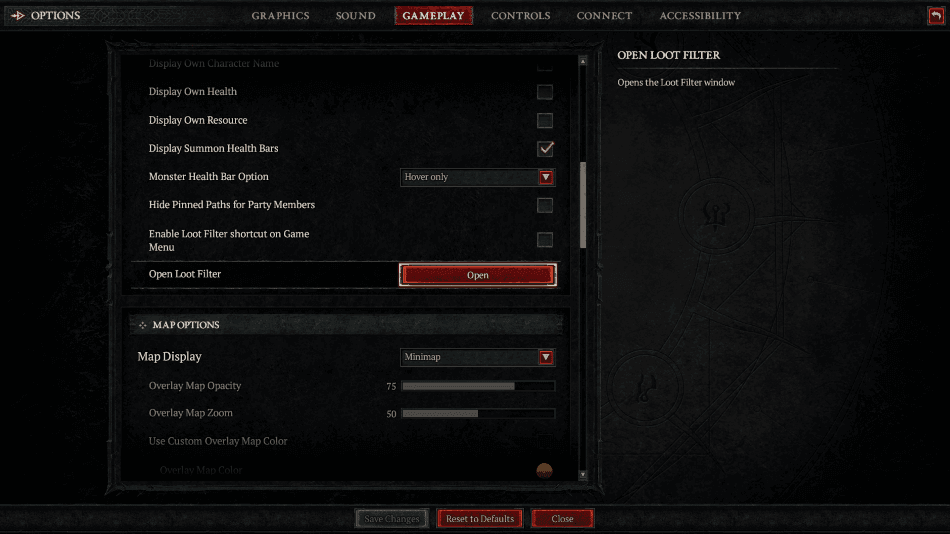

To start using the Loot Filter system in Diablo 4, you need to access it through the gameplay settings menu where all filter options and configuration tools are located.
Once inside the settings, navigate to the Loot Filter section and open the filter interface so you can begin creating, importing, or managing active filter setups.
After setting up or importing a filter, you must manually select it as active, since the system will not apply any rules unless a filter is properly enabled for gameplay.
You can also enable a quick-access option in the settings that allows faster entry into the Loot Filter menu, making it easier to adjust rules while switching builds or farming content.
How To Create a Loot Filter?
To create a Loot Filter in Diablo 4, you need to open the filter menu from the gameplay settings and select the option to build a new custom filter setup from scratch.
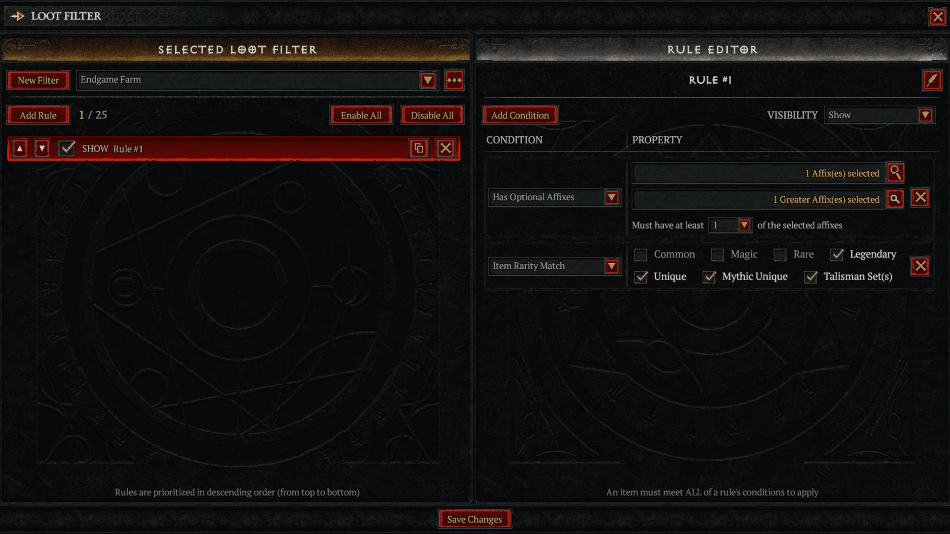
Inside the editor, you can add rules based on item rarity, item type, and specific affixes, allowing you to define exactly what gear should be shown, hidden, or highlighted.
You can combine multiple rules together so that valuable upgrades are emphasized while low-value or irrelevant drops are automatically reduced during gameplay.
As your build progresses, you can continuously adjust your filter rules so they stay aligned with your current gear needs and farming efficiency goals.
How To Import Loot Filter Codes?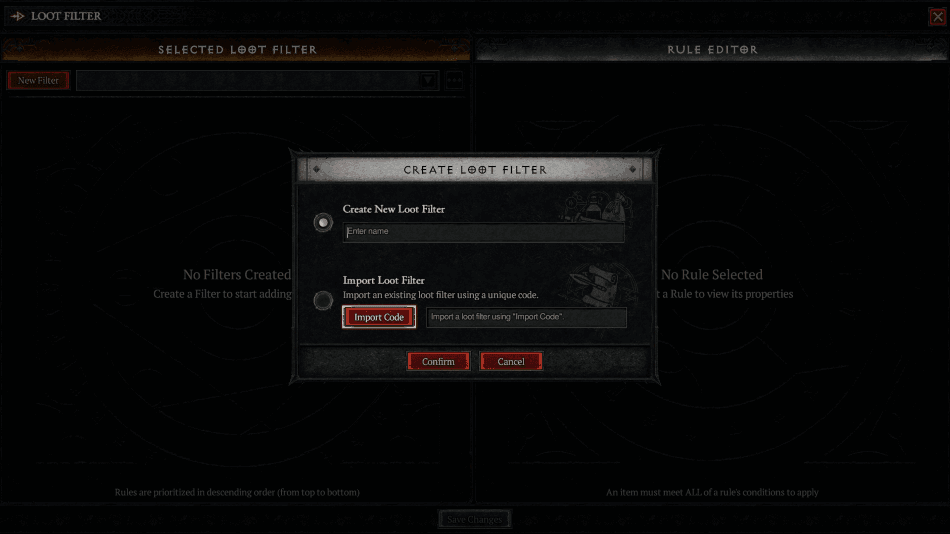
To import a Loot Filter code, open the Loot Filter menu and select the import option where you can paste a community-generated or creator-shared filter code.
Once the code is pasted, the system will automatically generate a full filter setup with preconfigured rules tailored for specific builds, leveling paths, or endgame farming strategies.
After importing, it is important to review the filter before activating it, since different codes may prioritize different types of loot or hide more items than expected.
When you are satisfied with the setup, you can activate the imported filter so it immediately applies during gameplay without needing further manual adjustments.
How To Customize Loot Filters?
After creating or importing a filter, you can customize it further by editing individual rules inside the filter editor to better match your build or farming preferences.
You can adjust which affixes are highlighted, modify visibility settings for certain item types, and fine-tune rarity thresholds so only meaningful upgrades appear more clearly.
You also have control over how strongly each rule is prioritized, allowing more important gear drops to stand out while less relevant items are minimized in visual clutter.
This customization stage is where most optimization happens, especially when refining filters for specific builds like crit scaling, elemental damage stacking, or boss farming efficiency.
Best Practices For Loot Filtering
A strong loot filter setup should evolve over time, starting with broader rules during leveling and becoming more strict as you approach endgame content.
It is important not to over-filter too early, since some items that seem unnecessary at first can still be useful for crafting, upgrades, or build transitions.
Testing new filter setups in lower-risk content allows you to make adjustments without losing important drops during high-density farming or boss encounters.
The most effective filters are usually balanced setups that reduce clutter while still ensuring valuable items remain clearly visible during fast gameplay.
Verdict
The Loot Filter system in Diablo 4 significantly improves item management by reducing unnecessary clutter and giving players more control over how loot is displayed during gameplay.
Once you understand how to activate, create, and import filters, it becomes a powerful tool for speeding up farming and improving overall gearing efficiency.
The best results come from gradually refining your filter setup over time rather than relying on a single static configuration for every stage of progression.
